
Official plugins
SEO — show your site correctly on Google and social media
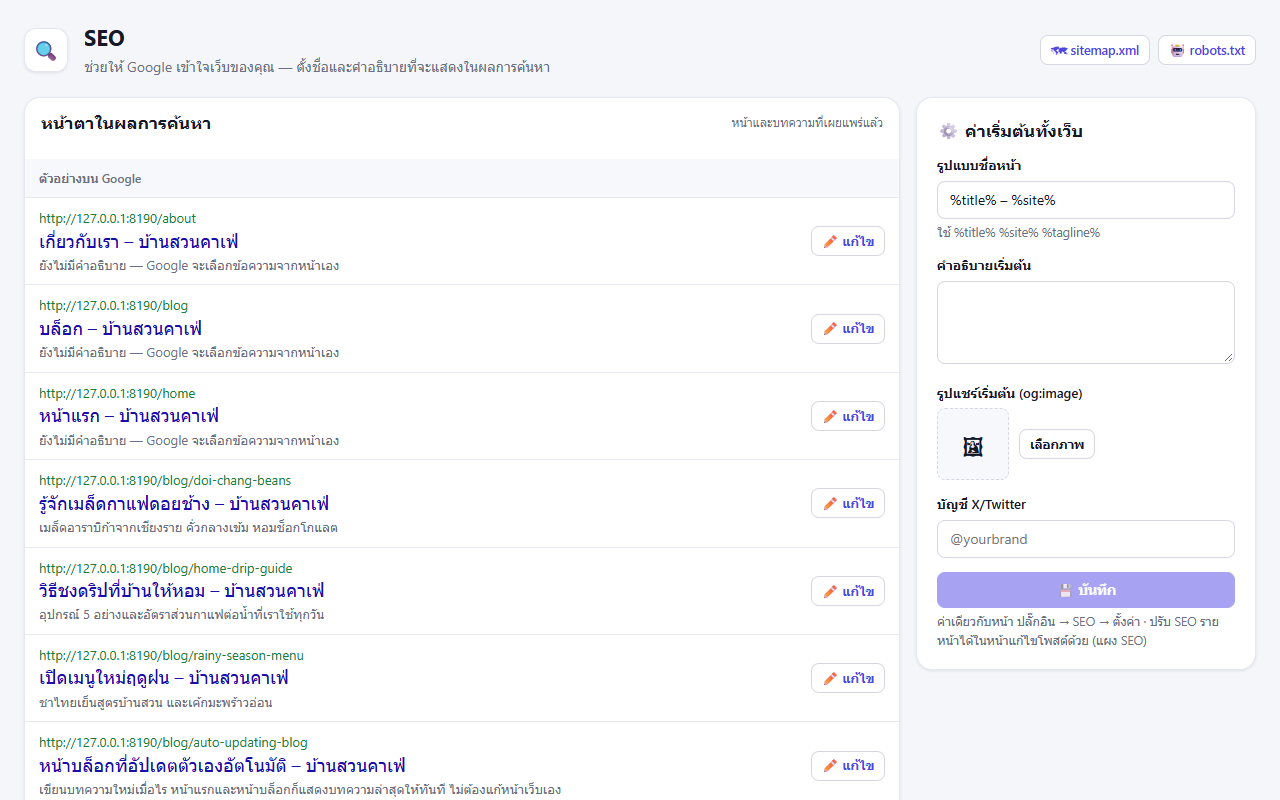
The official SEO plugin — title format, descriptions, share images, Open Graph, Twitter cards, JSON-LD, sitemap.xml, robots.txt and per-page SEO with a search result preview
On this page
The SEO plugin (seo) adds the tags search engines and social networks use to every page automatically, and lets you set each page's title, description and share image without code.
What you get#
- Page titles (
<title>) from the title format, default%title% – %site%— use%title%(page title),%site%(site title) and%tagline%(site tagline) - meta description and share image — the page's own, or the site-wide default
- canonical, Open Graph and Twitter card on every page (
og:type=articlefor posts, a large image card when there is an image) - JSON-LD structured data (WebSite, WebPage, BlogPosting), can be switched off in settings
- Automatic /sitemap.xml and /robots.txt — pages ticked
noindexare left out of the sitemap, and when the site is set to "ask search engines not to index", robots.txt becomesDisallow: /
Per-page SEO#
Two places, same values:
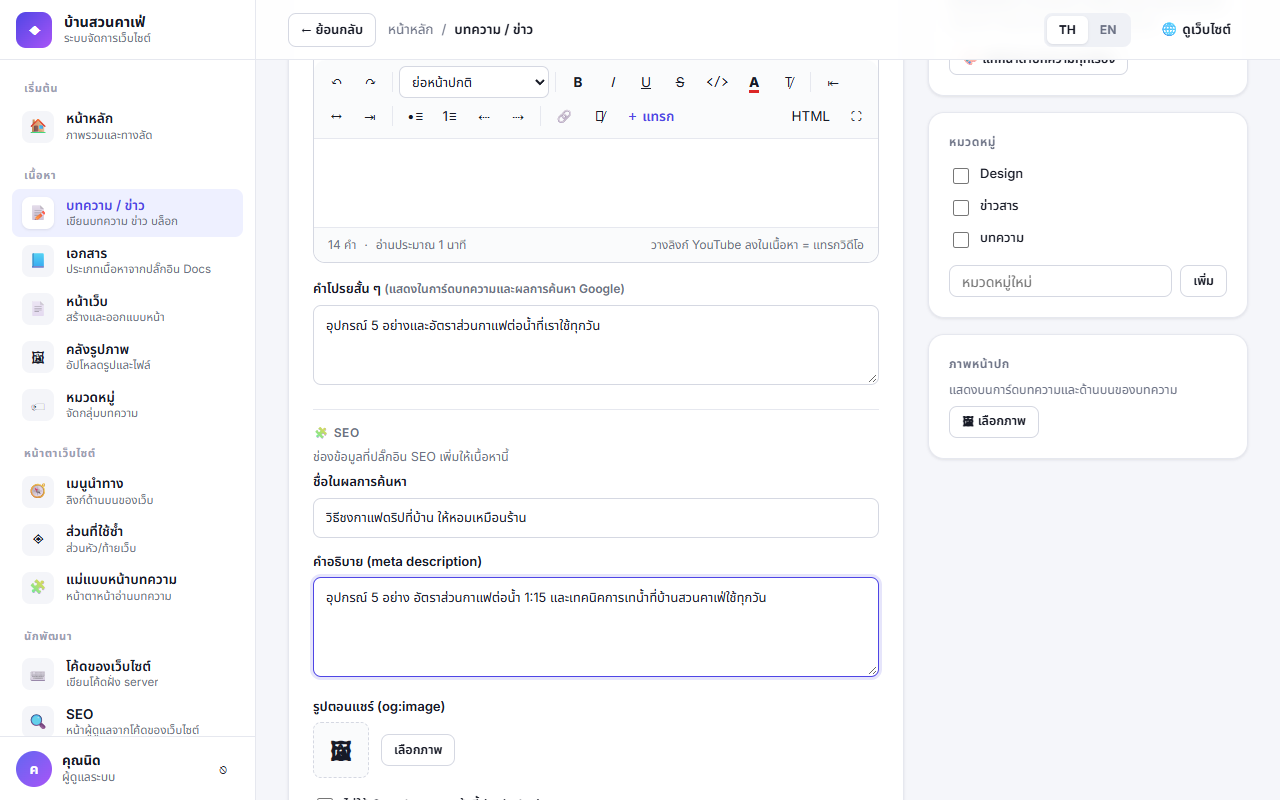
- The SEO panel in the post/page editor — below the content: enter the title, description and share image (press Choose image from the media library), tick noindex if Google should not show the page, then save/publish as usual
- The SEO admin page — every published page with a Google search result preview; edit them one by one, handy for checking the whole site
Settings#
On the SEO page (the form on the right) or Plugins → SEO → Settings
| Setting | Meaning |
|---|---|
| Title format | e.g. %title% – %site% or %title% | %site% |
| Default description | For pages without their own description (up to 500 characters) |
| Default share image | og:image for pages without their own — 1200×630 px recommended |
| X/Twitter account | e.g. @yourbrand, used in twitter:site |
| Structured data (JSON-LD) | On by default |
Permissions#
| Permission | Meaning | Default |
|---|---|---|
seo.manage | Open the SEO page and change the site-wide defaults | Administrator |
seo.edit_meta | Edit per-page SEO on the SEO page (still needs the right to edit that page) | Administrator |
The SEO panel in the editor works for everyone who can edit the post, including authors on their own posts.
After changing a page's link (slug), add a rule in Redirects from the old link so you keep the ranking Google has stored.