
Official plugins
Page Translate — a translate button for your pages
The official Page Translate plugin — a floating button that lets visitors translate the page into 7 languages, free through Google Translate or with the Google Cloud Translation API and a cache
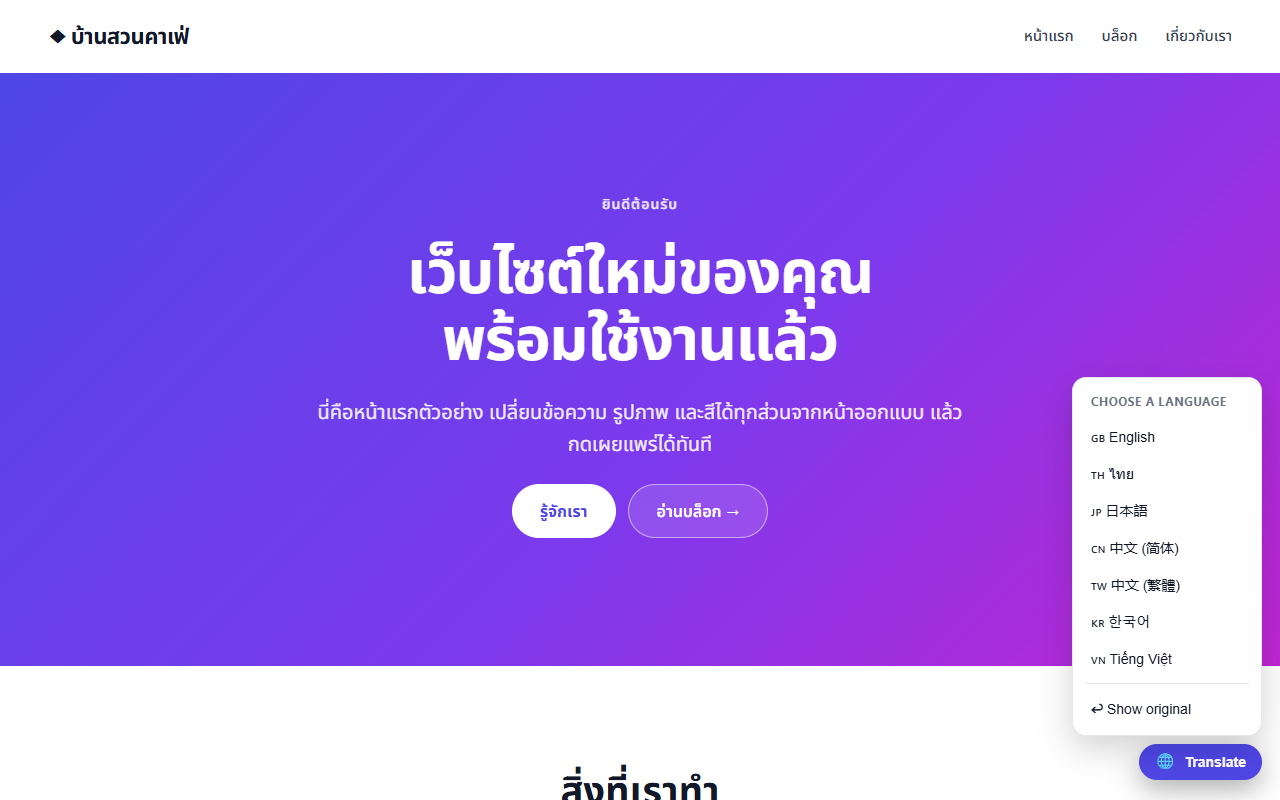
The Page Translate plugin (page-translate) adds a floating 🌐 button at the bottom right of every page. Visitors translate the page into English, ไทย, 日本語, 简体中文, 繁體中文, 한국어 or Tiếng Việt, and press Show original to go back.
Choosing a mode#
| Free (default) | Google Cloud Translation API | |
|---|---|---|
| Cost | None, no API key needed | 500,000 characters/month free, then pay as you go |
| How it translates | The Google Translate Website Widget translates the whole page after a reload | Sends text in batches and keeps the results in the browser (no repeat translations) |
| Best for | Most sites | Sites that need stability and control |
In API mode the plugin skips code (<code> <pre>), scripts and anything with class="notranslate" or translate="no", and also translates text loaded later (such as post lists).
Settings#
Left menu Translation (settings)
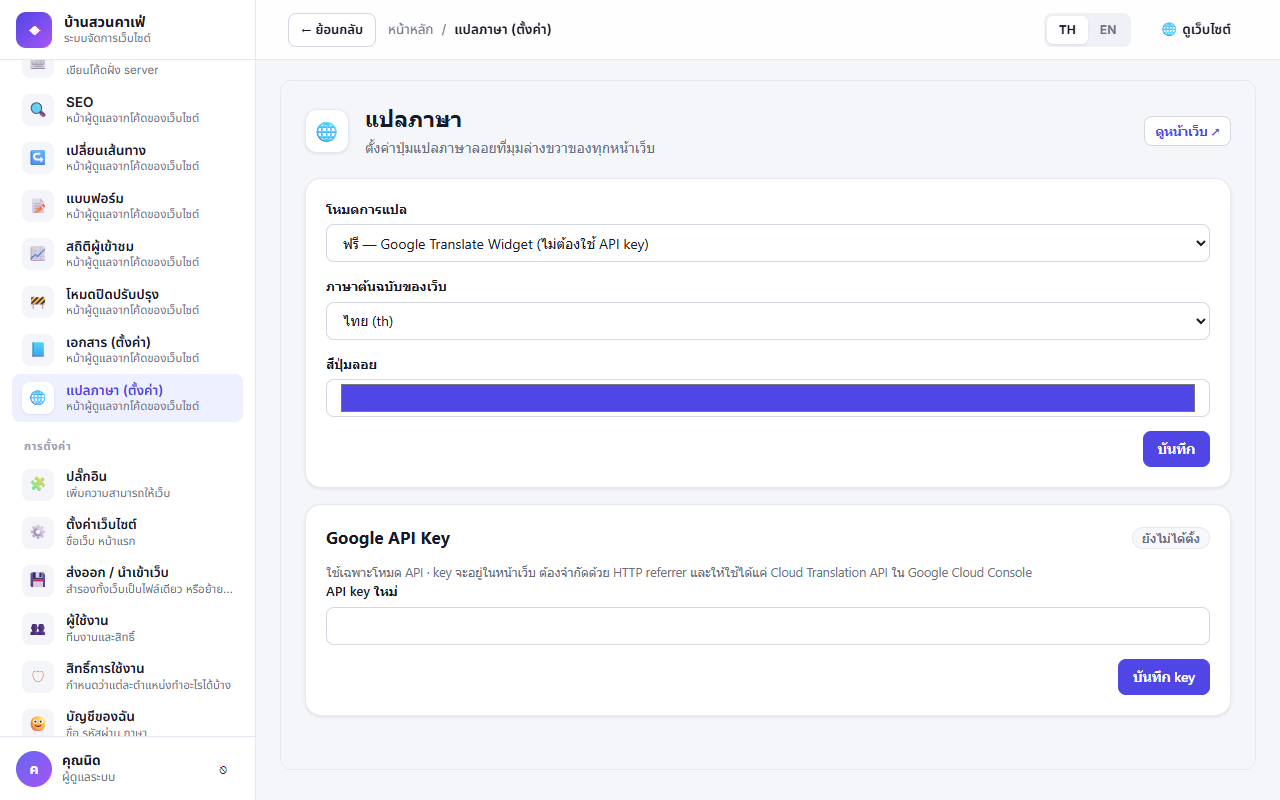
- Translation mode — free or Google Cloud Translation API
- The site's original language — ไทย, English, 日本語 or 中文
- Button colour — to match your theme
- Button position and button style (1.5.0) — move the button to another corner if it covers the page's own buttons, or choose icon only; by default only the icon shows on phones. Press Save
- API mode only: enter the API key and press Save key (the page shows only the last 4 characters)
Creating an API key#
- Google Cloud Console → select or create a project → enable the Cloud Translation API
- APIs & Services → Credentials → Create credentials → API key
- Restrict the key: Application restrictions = Websites with
https://your-domain/*, and API restrictions = Cloud Translation API only
In API mode the key is in the page (the visitor's browser calls Google itself), so anyone can see it — always restrict the key as in step 3. In free mode the saved key is never put into the page.
Permissions#
| Permission | Meaning | Default |
|---|---|---|
page-translate.manage | Open the settings page; change the mode, original language and button colour | Administrator, Editor |
page-translate.api_key | Add, change or remove the API key (also needs manage) | Administrator |
Notes#
- Free mode stores the chosen language in the
googtranscookie of this domain only — other sites under the same parent domain (e.g.shop.example.comandblog.example.com) are not translated along with it - Machine translation can be wrong for specific terms. Put
translate="no"on brand names or product codes in the designer so they are left alone