Customers and marketing
Customers, points, member levels and birthdays
Keep customers, earn and spend points, member levels that follow spending, the birthday treat, and customer import/export with CSV
On this page
Needs a package with Customers (and Points for points) — if Customers & points has a lock, see Packages.
Customers#
Customers & points → Add customer: full name, phone and birthday (optional). Search by name or phone. A customer whose birthday is today has a cake 🎂 next to the name.
Open a customer to see total spending, past bills, the points history, and:
- Adjust points — add or remove points by hand, with a reason (a gift, a redemption).
- Set level — choose a level yourself; the customer then stays on it whatever they spend.
Export CSV / Import CSV move customers from another system (same phone = updated).
Points#
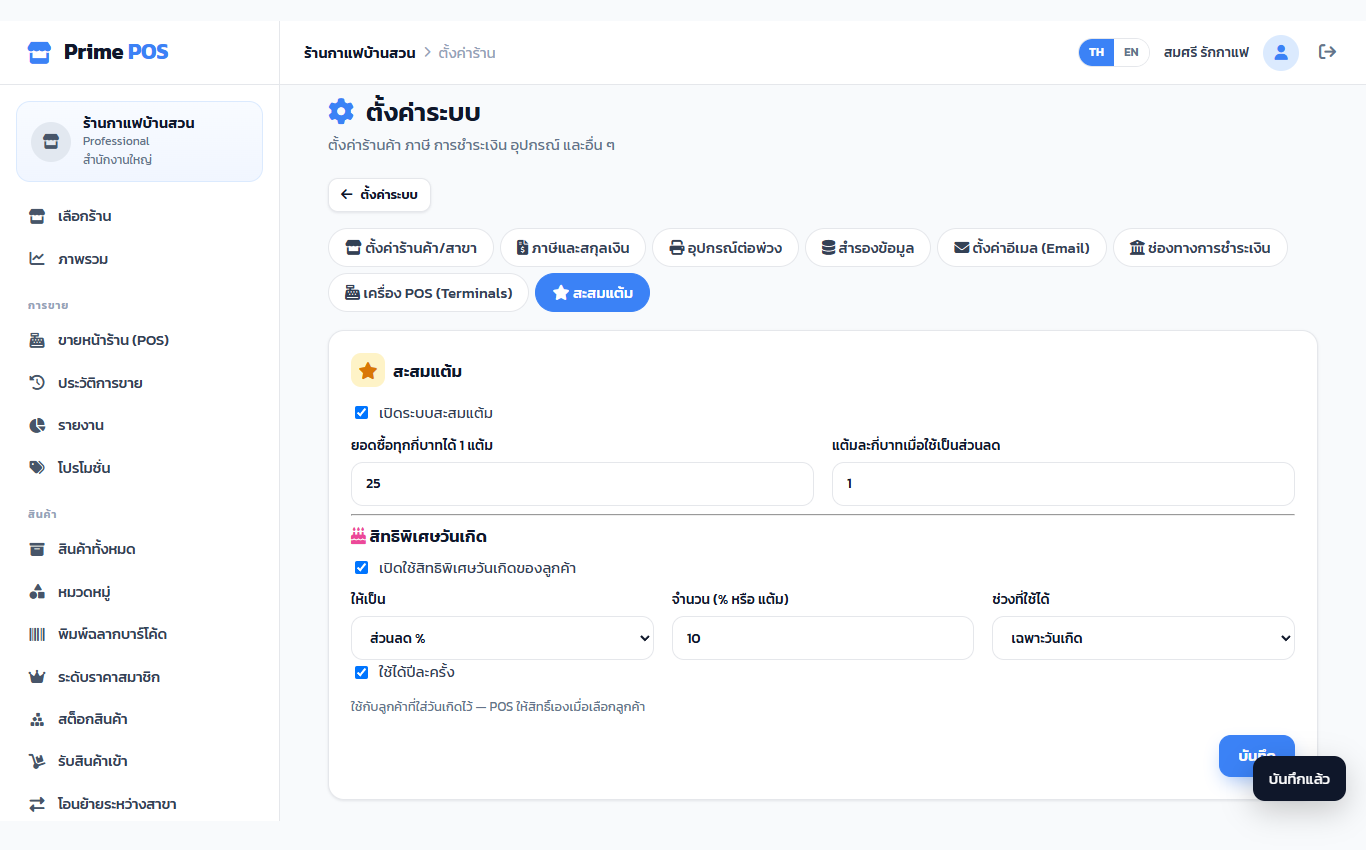
Shop settings → Points: tick Turn on points, then spend per point and value of a point as a discount. At the till, choose the customer and tick Use points. Voids and refunds take the bill's points back.
Member levels#
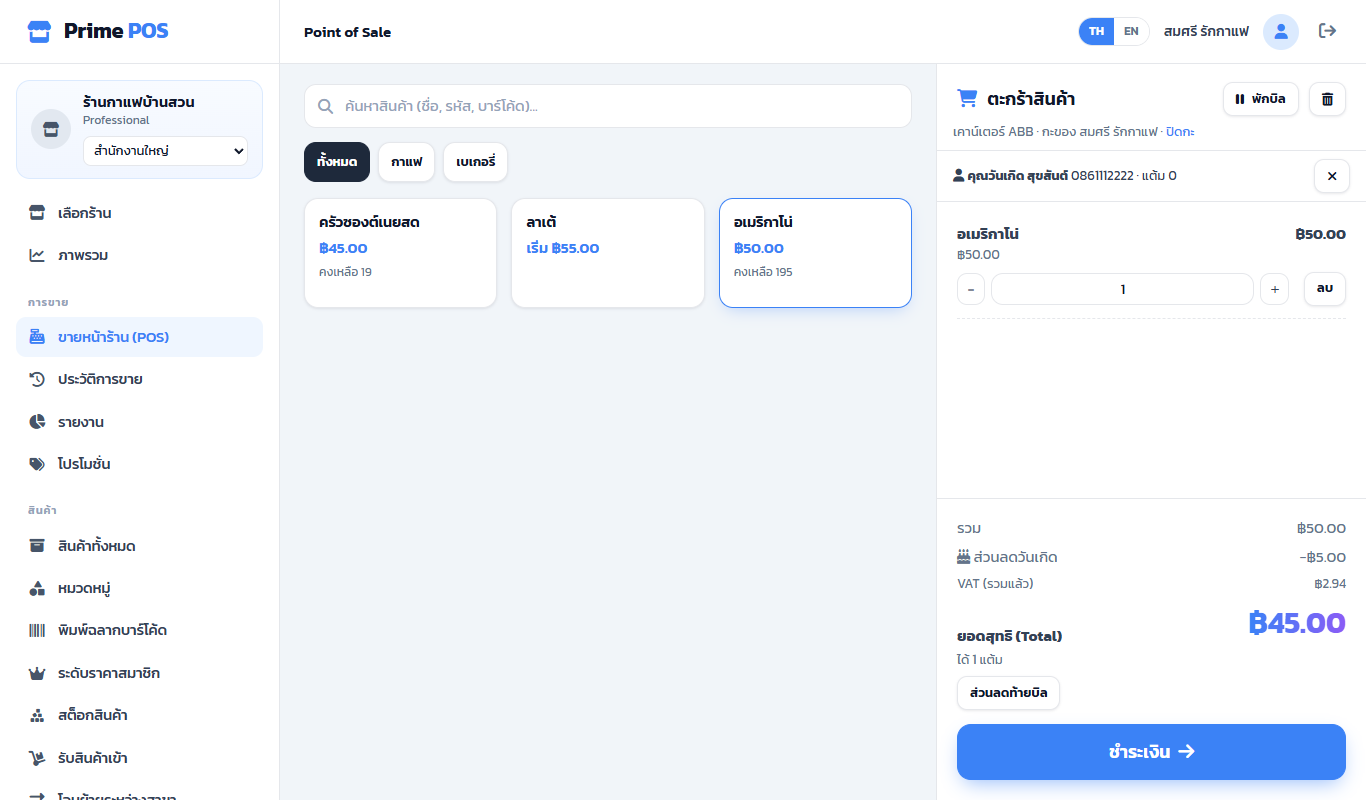
Member levels: e.g. Silver (1,000 spent) and Gold (5,000), each with a discount %, a price tier and a colour. Customers move up by themselves; the till shows Member discount as soon as the customer is chosen.
Birthday treat#
The shop decides whether to use it — Shop settings → Points → Birthday treat (or Set up the birthday treat on the customers page).
| Setting | Choices |
|---|---|
| Give | Discount % or Bonus points |
| Amount | The percentage or the points |
| When | On the birthday only or The whole birthday month |
| Once a year | Ticked = one bill a year |
With a birthday on file, choosing the customer at the till adds 🎂 Birthday discount or Birthday points by itself. The birthday discount comes after promotions and the member discount.