Running the shop
Staff, roles, branches and tills
Add staff by e-mail, set roles and permissions, tie staff to a branch, add branches, and set up each till (POS device)
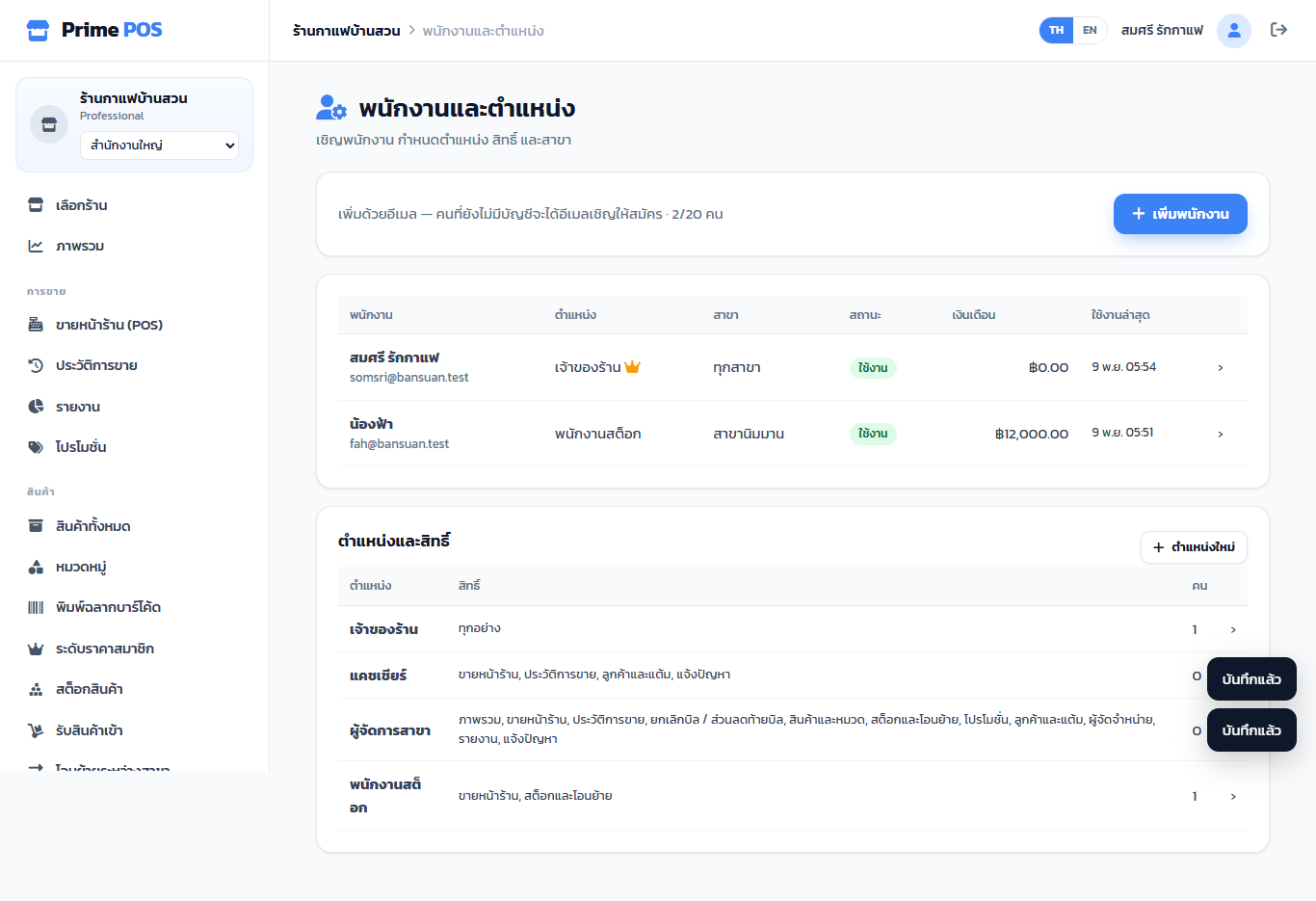
Staff#
Staff & roles → Add staff
- Staff e-mail — without an account they get an invitation e-mail and join once they confirm (shown as Awaiting sign-up; Resend or Cancel).
- Role.
- Branch — All branches or one (staff tied to a branch see and work in that branch only).
- Salary (optional, for your records).
Open a staff member to change the role or branch, or disable access. How many staff depends on the package.
Roles and permissions#
A new shop has three roles: Owner (everything), Cashier (sell, bills, customers, support) and Branch manager (everything except staff and settings).
New role, or open one, and tick its permissions:
| Permission | Allows |
|---|---|
| Dashboard | The dashboard |
| POS | Open/close shifts, sell |
| Order history | Bills, reprints, tax invoices |
| Void bills / bill discount | Void, refund, bill discount |
| Products & categories | Products, categories, price tiers, labels |
| Stock & transfers | Stock in, adjust, write off, send / request stock |
| Promotions · Customers & points · Suppliers · Reports | As named |
| Staff & roles · Shop settings · Support | As named |
Branches#
Shop settings → POS terminals → Add branch (package with several branches): name, address, phone. The first branch, Head office, is the address on tax invoices.
With several branches, the side bar has a branch selector. Stock, shifts and bills are per branch; reports show one branch or all.
Tills (POS devices)#
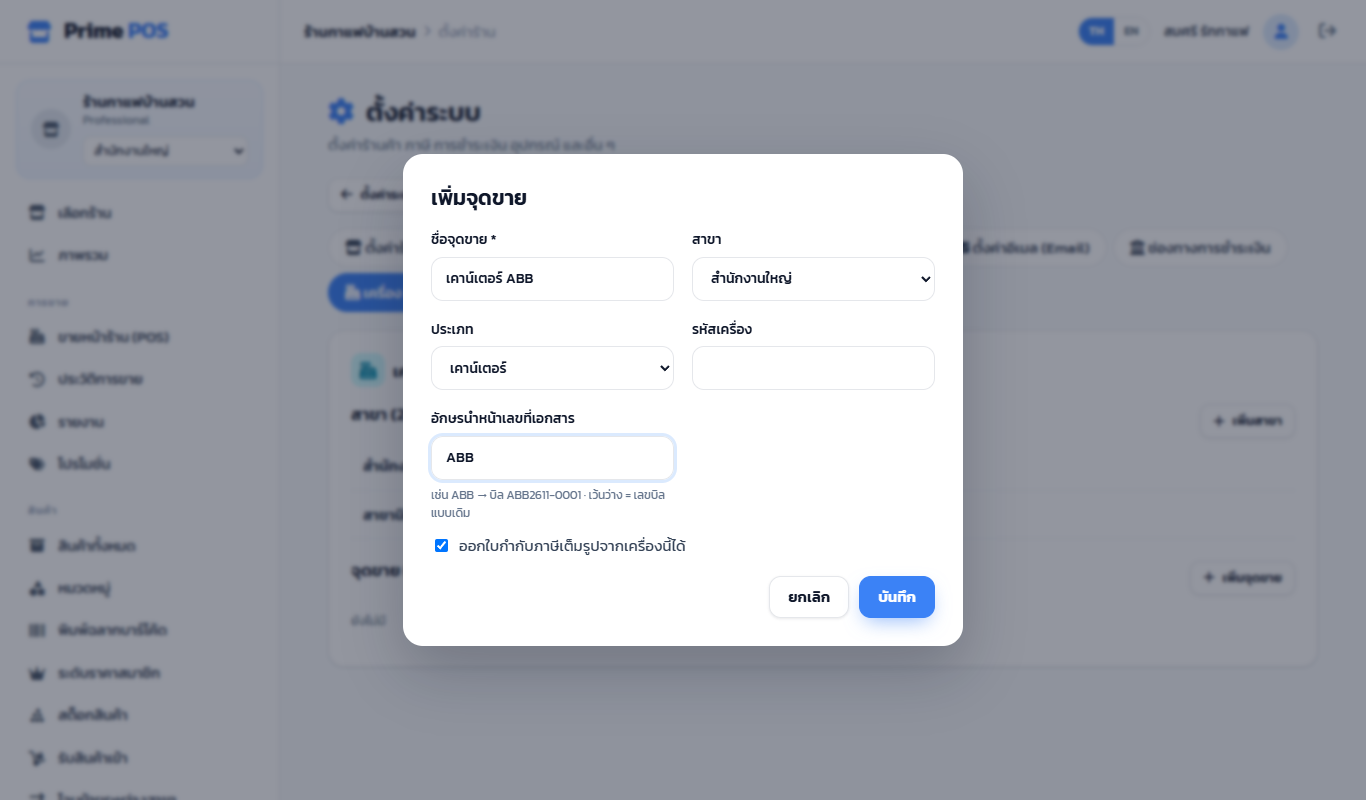
Same page → Add till
| Field | Meaning |
|---|---|
| Name * | Counter 1, Mobile at the door … |
| Branch | Its branch |
| Type | Counter / Mobile-tablet / Kiosk |
| Device code | For your reference (optional) |
| Document number prefix | ABB → bill ABB2611-0001; see Bills and tax invoices |
| This till can issue full tax invoices | Untick where it must not |
Each till has its own shift and cash drawer, and several can sell at the same time. A device remembers its till after you choose it on the selling screen.