Reports
Reports, profit & loss and the daily summary mail
Sales by day, hour, product, category, staff, payment, branch and till; profit & loss after stock loss; more reports; CSV; and the daily summary mail at the hour you choose
Needs a package with Reports (the Dashboard is in every package).
Sales report#
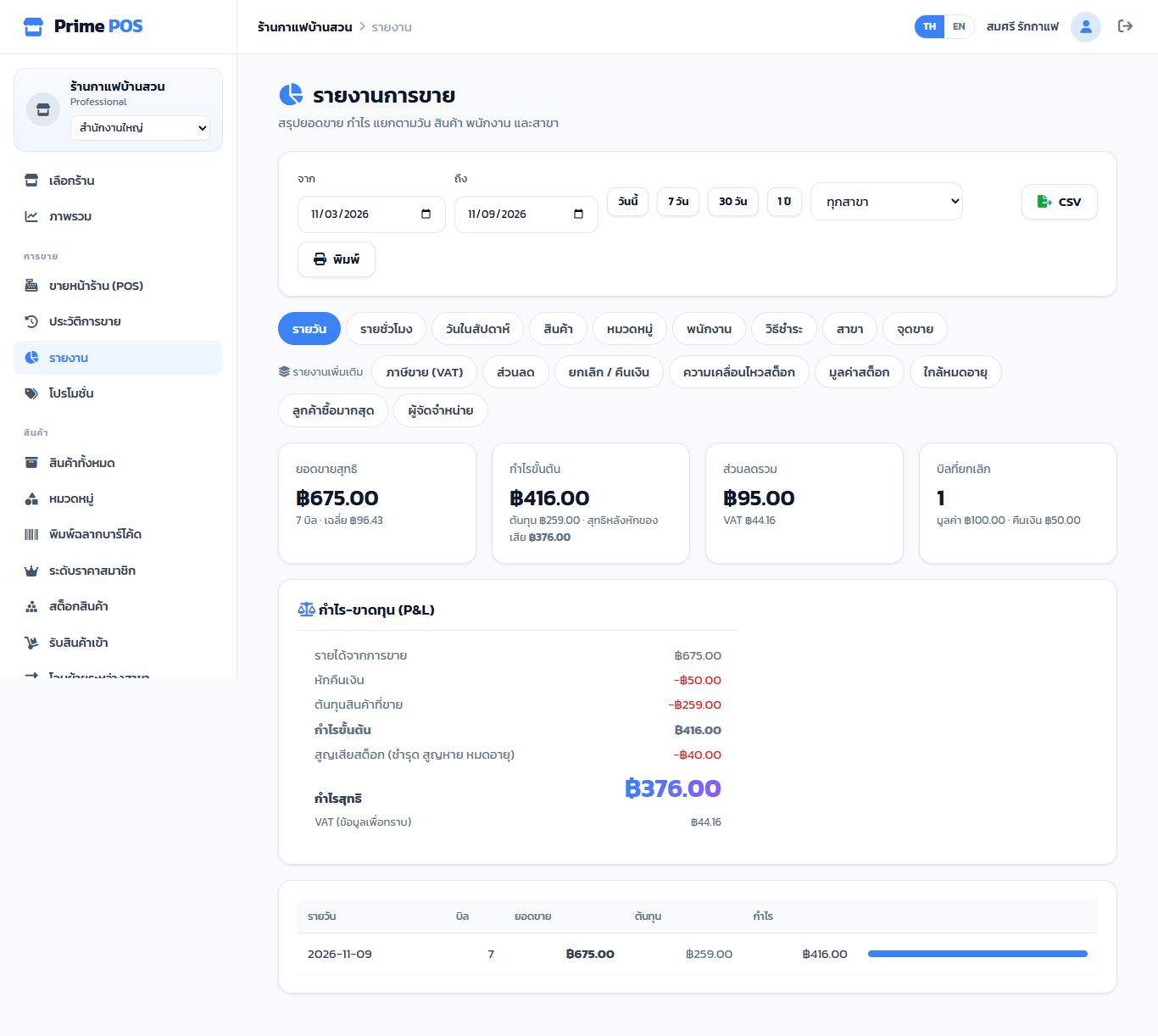
Reports — pick dates (or Today / 7 days / 30 days / 1 year) and a branch, then a view:
Daily · Hourly · Day of week · Product · Category · Staff · Payment · Branch · Till
Each row has bills, sales, cost and profit. In the Payment view a split bill is spread over its methods.
CSV downloads the table; Print prints the page.
Profit & loss (P&L)#
| Line | From |
|---|---|
| Sales revenue | Net sales of the period |
| Less refunds | Refunded bills |
| Cost of goods sold | The cost of what was sold |
| Gross profit | Revenue − refunds − cost |
| Stock loss (damaged, lost, expired) | Write-offs of the period |
| Net profit | Gross profit − stock loss |
| VAT (for information) | The VAT inside sales |
More reports#
| Report | Shows |
|---|---|
| Sales tax (VAT) | Net and VAT per bill, for filing |
| Discounts | Promotions and discounts given |
| Voids / refunds | Voided bills and returned lines, with reasons |
| Stock movement | Stock in, sales, adjustments, transfers |
| Stock value | On hand × cost |
| Expiring | Lots expiring within 30 days, and expired ones |
| Top customers | Customers by spending |
| Suppliers | Stock received per supplier |
Daily summary mail#
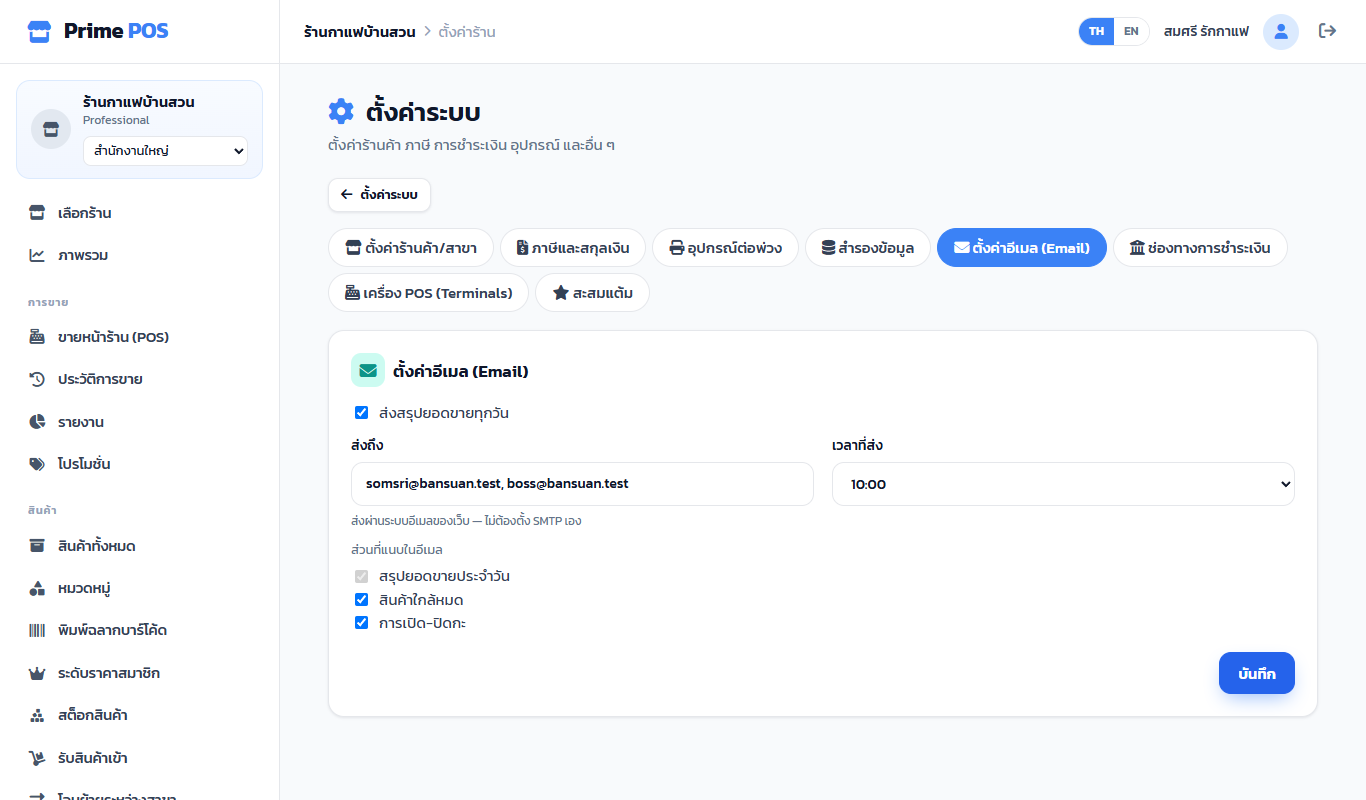
Shop settings → Email settings
- Tick Send a sales summary every day.
- Send to — at least one address (several, separated by commas); without one it cannot be saved.
- Send at — the hour, e.g. 21:00 after closing.
- Include in the email — the day's summary always; add Low stock and Shifts opened and closed if you like.
Mail goes through the site's own e-mail; shops never set up SMTP.