
Selling
Bills, refunds and full tax invoices
Find past bills, reprint or e-mail receipts, void a bill, refund some items, issue a full tax invoice, and give each till its own document prefix
Order history#
Order History — search by bill number or customer (Enter or Search) and pick dates. 50 bills a page; ← Previous / Next → under the table. Sales shifts below lists every shift with expected cash, counted cash and the difference.
Open a bill to:
| Button | Does |
|---|---|
| Print receipt | Reprint (marked "copy") |
| Send the receipt to the customer | |
| Void bill | Cancel the whole bill with a reason — stock goes back, points are taken back, the shift's cash is corrected |
| Refund | Return some lines / quantities with a reason; returned items go back into stock; several refunds until the bill is fully refunded |
| Issue a full tax invoice | See below |
Voids and refunds need Void bills / bill discount. A partly refunded bill cannot be voided — refund the rest instead.
Full tax invoice#
For companies that ask for one. The shop must be VAT-registered:
- Shop settings → Tax & currency: tick VAT registered, enter the shop's tax ID and save (until then, the bill's button tells you to go there).
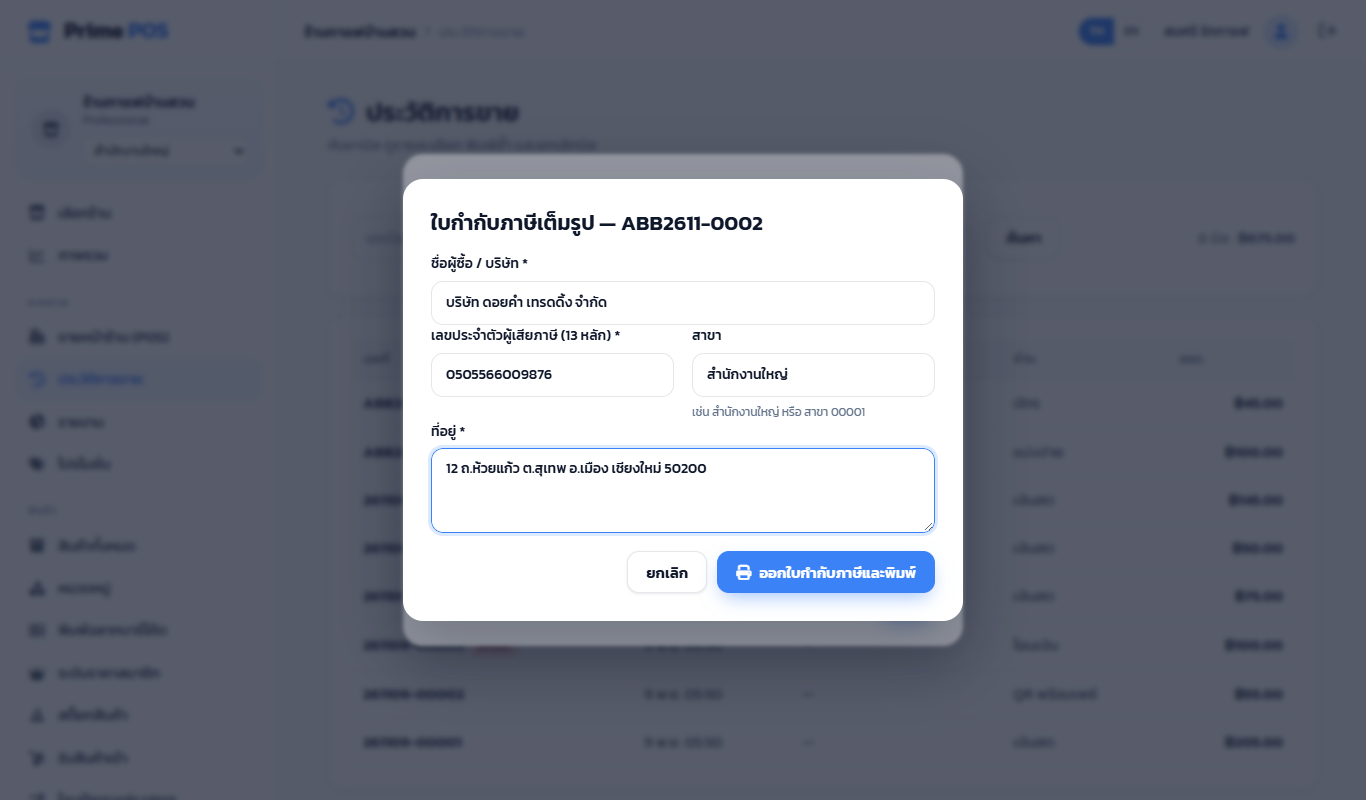
- Open the bill in Order History, press Issue a full tax invoice.
- Enter the buyer / company name, tax ID (13 digits), branch (Head office or Branch 00001) and address.
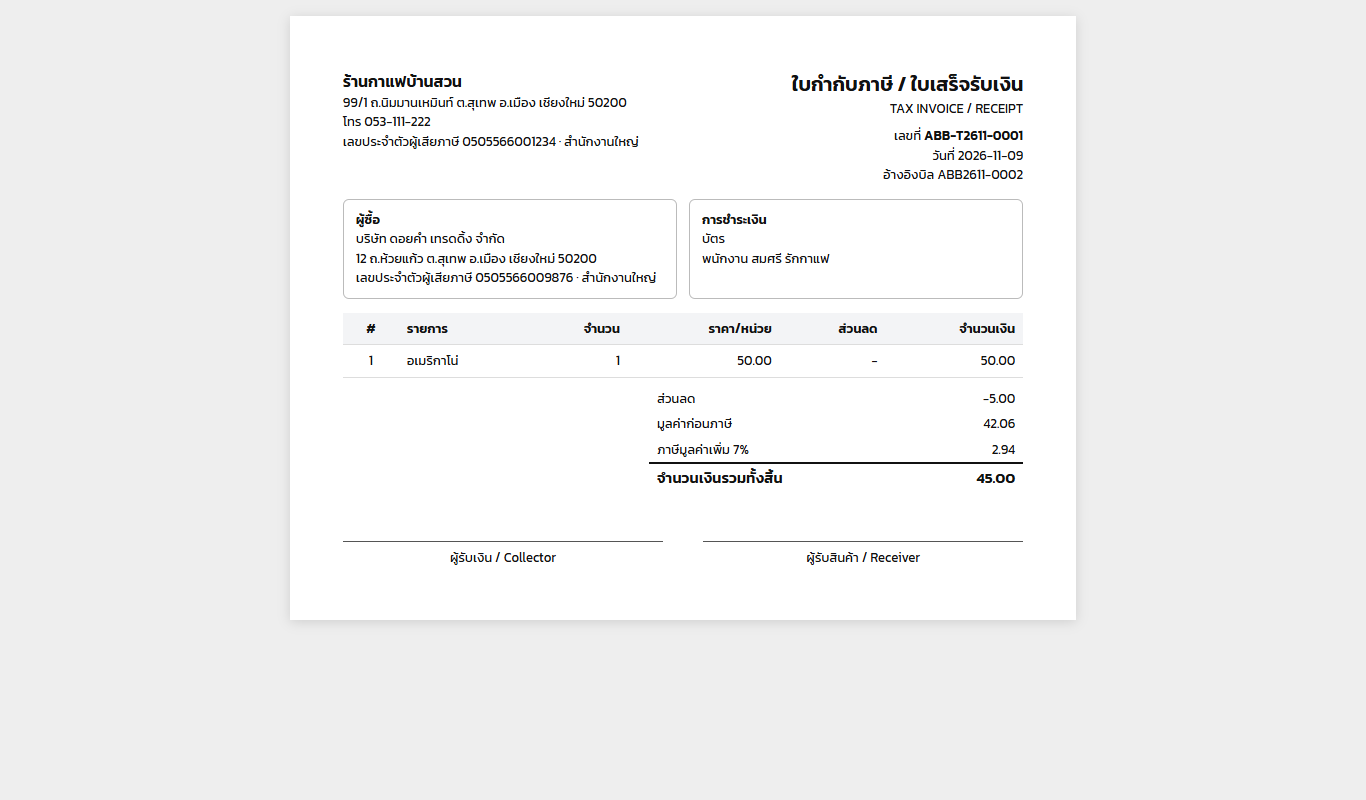
- Issue and print — an A4 "Tax invoice / Receipt" opens in a new tab, ready to print.
A bill gets its invoice number once, e.g. INV-T2611-0001. Correcting the buyer and printing again keeps the number; the bill's button shows it.
A document prefix per till#
Shop settings → POS terminals, edit a till, set Document number prefix, e.g. ABB. Its bills become ABB2611-0001, ABB2611-0002 … (year-month, then a running number restarting every month) and its tax invoices ABB-T2611-0001. Tills without one keep the usual numbers.
Untick This till can issue full tax invoices for tills that must not (a kiosk, say).